

01
One muscle. Every angle.
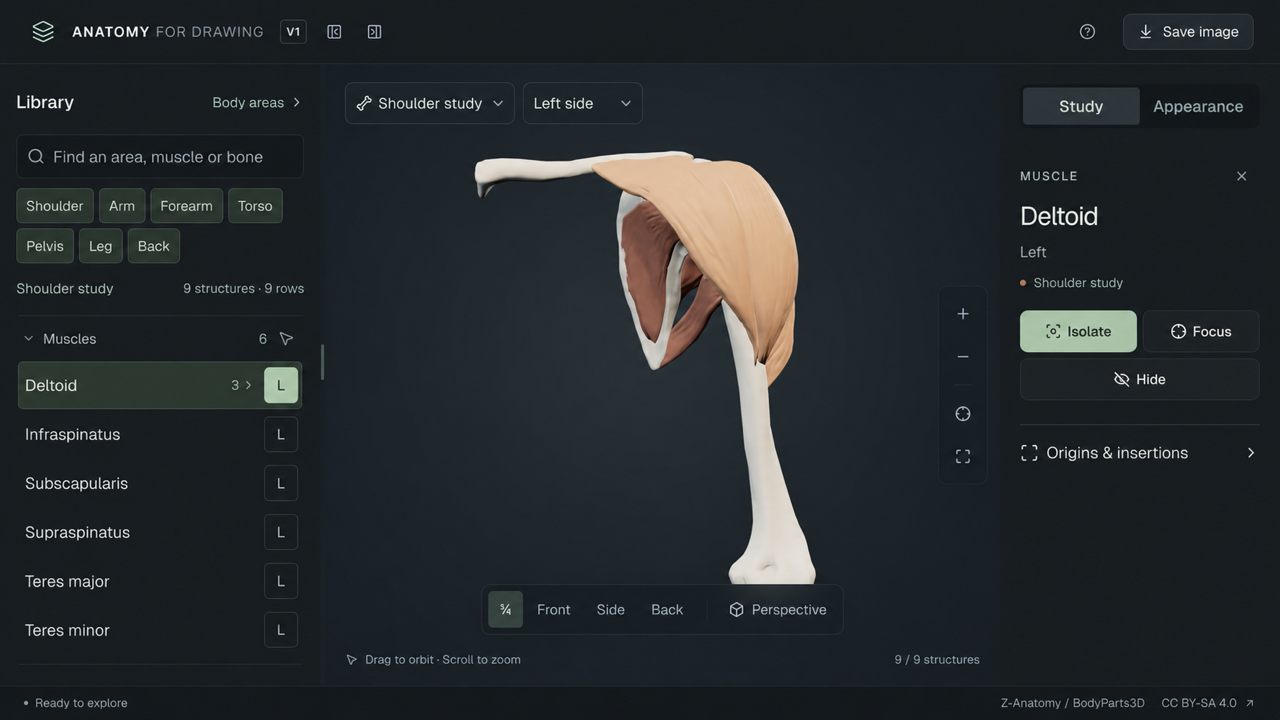
Isolate a muscle, keep the bones for context, and rotate the model to understand its volume. Explore the individual parts of multipart muscles.
INTERACTIVE 3D ANATOMY FOR ARTISTS
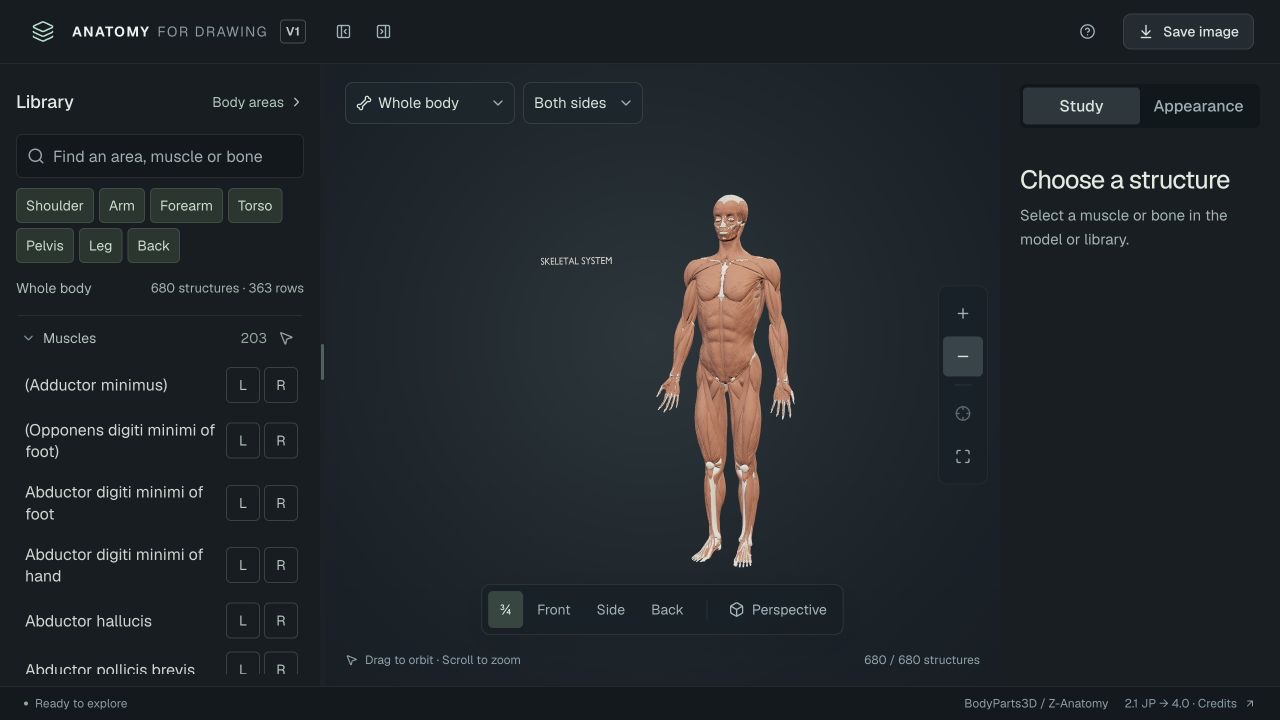
Explore the human body in interactive 3D. Rotate the model, isolate muscles, and reveal the bones beneath.
No sign-up · Works in your browser
START WITH YOUR SUBJECT
680muscles & skeletal structures
360°exploration, from any angle
from surface form to attachments
YOUR ANATOMY REFERENCE, IN 3D
A silhouette is only the beginning. See how muscles overlap, where bones provide structure, and how the pieces fit together.
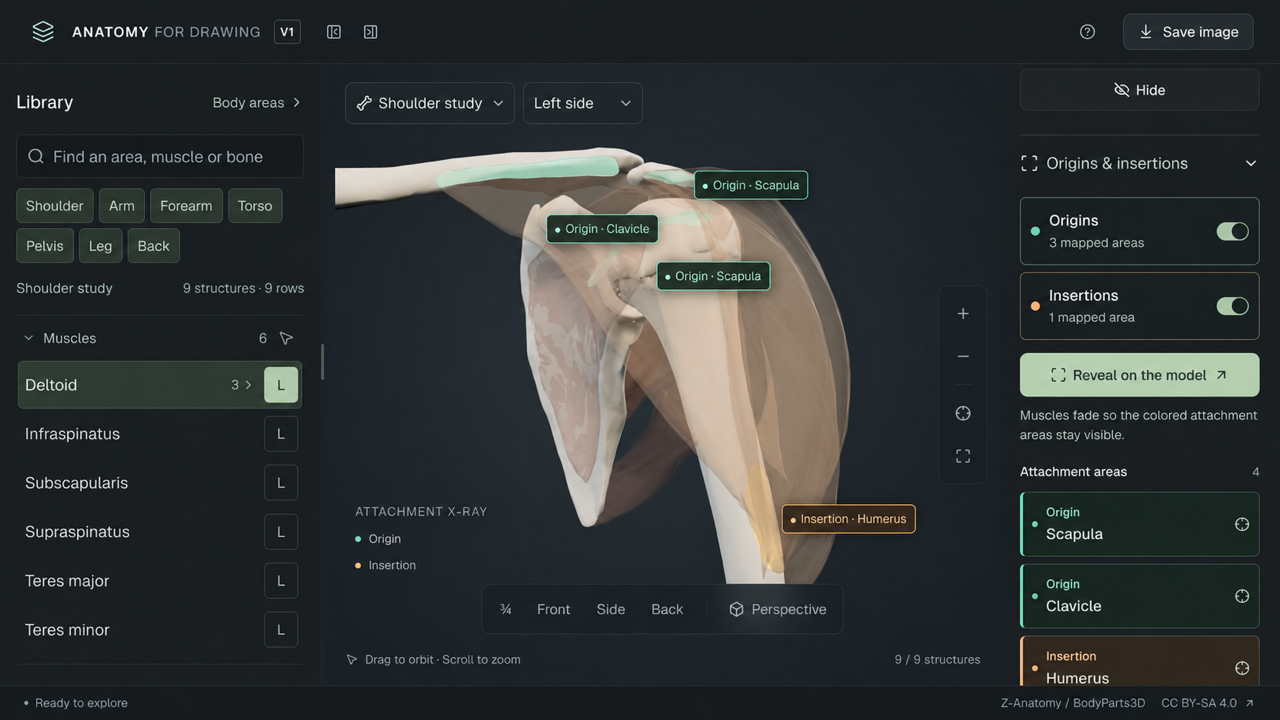
Attachment coverage varies by muscle. Approximate reconstructions are identified in the explorer.
BUILT FOR YOUR DRAWING PRACTICE
Set up a study that answers your question—whether you’re working on a shoulder, a hand, or the whole figure.
Isolate a muscle, keep the bones for context, and rotate the model to understand its volume. Explore the individual parts of multipart muscles.
Hide muscles to study the skeleton, or adjust their transparency to see how the layers relate. Search by muscle, bone, or body area.
Change the light and switch to clay material to study planes and shadows. Use orthographic projection to compare shapes without perspective.
Find your angle and save a PNG for your drawing session. Image exports include the model attribution, ready to keep with your study.
FROM EXPLORING TO DRAWING
Start with a body region. Find a muscle or bone in the library, or select it on the model.
Rotate and isolate. Reveal attachments. Adjust the lighting to read the shapes.
Save your reference, keep the 3D explorer beside your sketchbook, and draw what you observe.
ANATOMY GUIDES
THE VISUAL GUIDE Muscle focus 01
A closer look at the deltoid: its wrapping shape, three parts, and attachment points. Two views from the studio, one quick drawing study.
Read the deltoid guideA FEW THINGS TO KNOW
Anatomy for Drawing is an interactive 3D anatomy reference for artists. It helps you study human muscles and bones for figure drawing, illustration, and sculpture. Rotate the model, isolate structures, reveal mapped attachments, and set up a reference image in your browser.
Yes. Select a muscle, open Origins & insertions, and choose Reveal on the model. Available origins appear in mint and insertions in amber, with labels for the supporting bones. Muscles fade so you can see the attachment areas. Coverage varies by muscle; missing highlights do not mean a muscle has no attachment.
Explore the whole body or focus on the head, torso and neck, shoulders and arms, hands, hips and legs, or feet. There is also a dedicated shoulder study with the deltoid, rotator cuff muscles, and supporting bones.
The model has a fixed pose. You can rotate, pan, zoom, switch between standard camera views, and choose perspective or orthographic projection. Joint posing and animation are not available.
Yes. Save an image from the explorer and keep it alongside your drawing. Model data comes from BodyParts3D (© 2008 DBCLS, CC BY-SA 2.1 Japan) via Z-Anatomy by Gauthier Kervyn (CC BY-SA 4.0). The Anatomy for Drawing adaptation by Souquet Consulting is released under CC BY-SA 4.0. When sharing or adapting model images, retain the credits and changes notice and follow these licences. The saved image includes a credit line. Sources, licences & changes.
LOOK CLOSER. DRAW WITH UNDERSTANDING.